Connect an AI agent
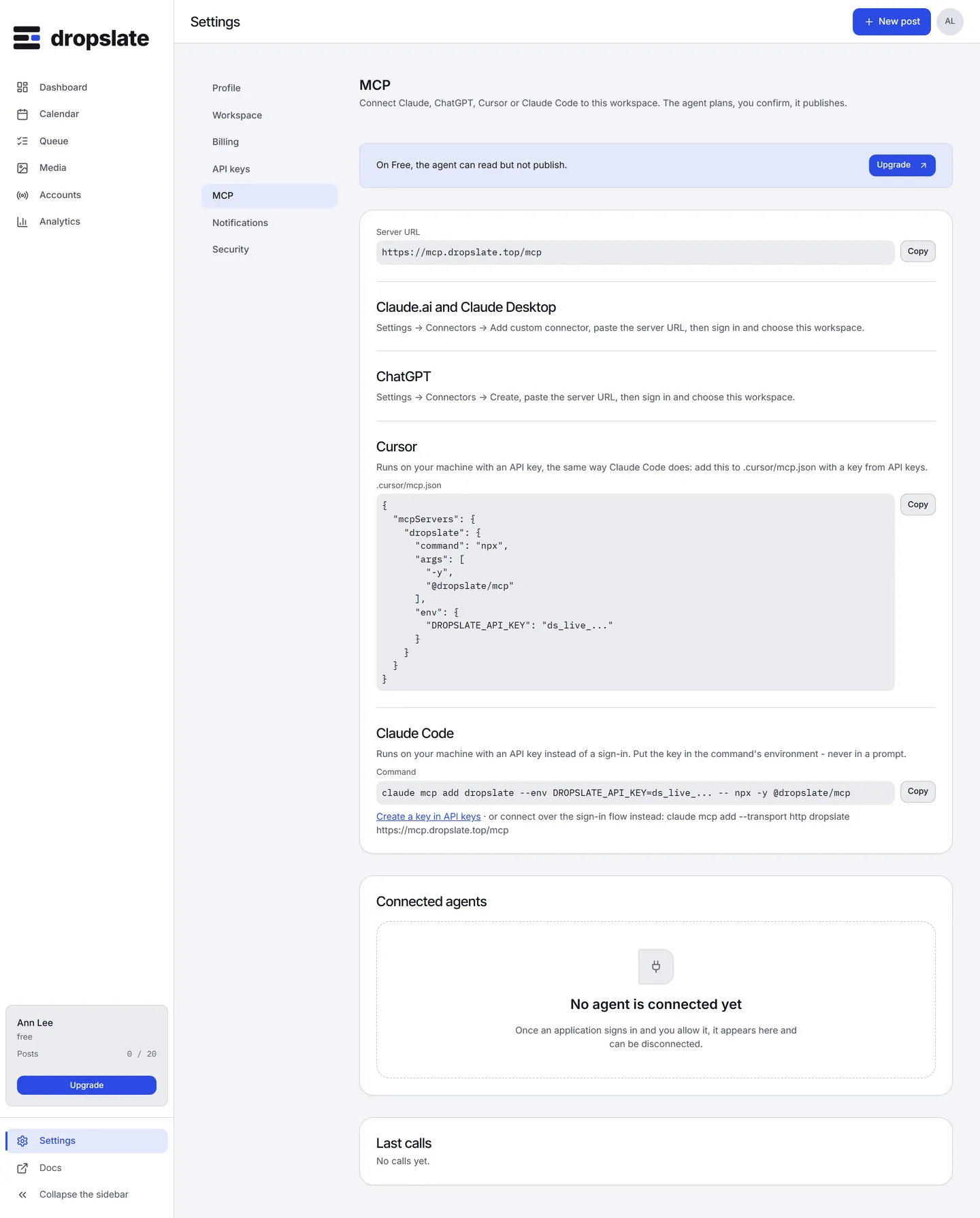
Every client connects to the hosted server at https://mcp.dropslate.top/mcp and signs in over OAuth 2.1 - no API key to create or paste. Claude.ai, Claude Desktop, ChatGPT and Claude Code work this way; Cursor cannot connect yet (its tab says why). There is no local stdio package to install: @dropslate/mcp is not published, and one may come later. Whichever client you use, the agent gets the same tools under the same rules - see Safety rules.
On the Free plan the agent can read the workspace and plan posts; publishing through an agent comes with paid plans, which are not on sale yet.
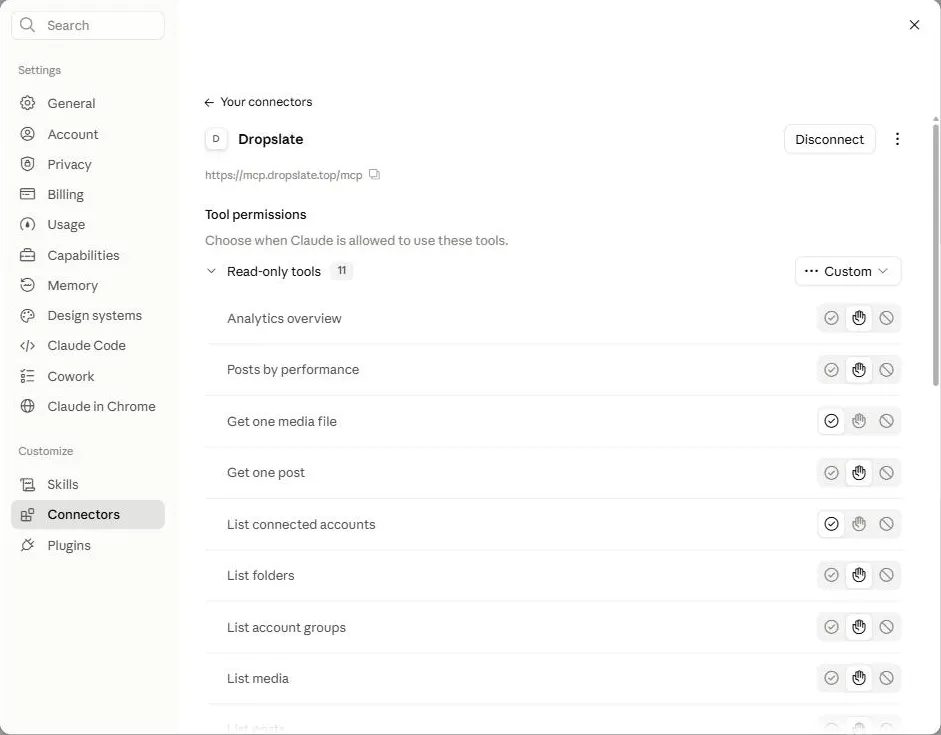
- Settings → Connectors → Add custom connector.
- URL:
https://mcp.dropslate.top/mcp. - Claude opens Dropslate’s sign-in. After signing in, a consent screen shows which workspace and exactly what the connection will be able to do.
- Review it and Allow.
The same steps apply to Claude Desktop.
claude mcp add --transport http dropslate https://mcp.dropslate.top/mcpThe first call opens the same browser sign-in and consent screen as Claude.ai; choose the workspace there. No API key is involved.
- Settings → Connectors → Create.
- URL:
https://mcp.dropslate.top/mcp. - Sign in to Dropslate, review the consent screen (workspace and permissions, see below), Allow.
Scopes, the tools ChatGPT can see, and disconnecting are identical to Claude.ai.
Not available yet. Cursor signs in through a redirect URI (cursor://anysphere.cursor-retrieval/...) that carries an authority component, and Dropslate’s OAuth provider refuses to register a private-use URI with one - RFC 8252 requires native-app redirect URIs without an authority. A stdio package that Cursor could run with an API key is not published either; this page will say when a path exists.
What the consent screen shows
Section titled “What the consent screen shows”- Workspace - which one this connection acts in. The choice travels with the consent itself (
workspace_idin the consent request), so two tabs connecting to two workspaces each get the one they chose; a workspace you are not a member of answers 404 and nothing is recorded. - The app’s name - shown as the app’s own when every redirect URI it registered is one of the callbacks Claude (claude.ai, claude.com) or ChatGPT document (
verified: truefrom/auth/oauth2/public-client). Anything else, Claude Code and other programs on your computer included, is marked Unverified app: the name is the one it gave itself. Allow it only if you started the connection yourself just now. - It will be able to: see accounts, groups, media and posts and check a plan before anything is created (
read); upload media, create and queue posts, retry, cancel and delete (write; creating, retrying, cancelling, rescheduling and deleting needconfirm: true, and the agent is told to show you the plan and ask first); stay connected without signing in again, for 30 days at a time (offline_access). - It cannot: change members or billing, connect or disconnect accounts, or delete the workspace - there is no tool for any of those, whatever scope is granted.
Nothing secret goes into the chat
Section titled “Nothing secret goes into the chat”The connection is a sign-in, so there is no key to paste anywhere. If an agent ever asks for a password or an API key in the chat, do not give it one: nothing in Dropslate’s MCP needs it.
Disconnect
Section titled “Disconnect”Settings → MCP lists connected agents; Disconnect on one removes its session and refresh tokens immediately - it stops on its next call, not after an hour. Changing your password, or Log out everywhere else in Settings → Security, also disconnects every agent you connected.
Common errors
Section titled “Common errors”| Error | Cause | Fix |
|---|---|---|
client_disabled after signing in |
Unrecognized OAuth client, pending approval. | Contact support - see FAQ. |
| Consent screen shows the wrong workspace | Signed in to a different Dropslate account than intended. | Switch workspace before allowing, or sign out and back in as the right user. |
invalid_scope |
The client requested a scope Dropslate does not have. | Only read, write and offline_access exist; this points at a client-side misconfiguration. |
unauthenticated on every call |
The connection was disconnected, or its refresh token expired. | Connect the client again; it opens the sign-in. |
insufficient_scope on a write tool |
The connection was granted only read. |
Disconnect it in Settings → MCP and connect again, allowing write. |
| Tools list has only 11 entries | The connection has only read, or the workspace is on Free. |
Publishing through an agent needs write and a paid plan; paid plans are not on sale yet. |
quota_exceeded with details.kind: "mcp" |
The agent tried to publish on a plan where it reads but does not publish (Free). | Publish from the dashboard; publishing through an agent comes with paid plans. |
Related
Section titled “Related”- Overview - what an agent can do and which plan it needs.
- Tools reference - every tool, input and output.
- Safety rules - the confirmation rule and what no tool can do.